
So your site’s loading like it’s stuck in 2013 load times, and someone in a Facebook group told you “just get dedicated hosting, bru, it’ll fix everything.”
Will it though?
I’ve had this exact conversation with more clients than I can count. They’re staring at a hosting upgrade page, card in hand, ready to pay 5x more for “dedicated” because the word sounds premium. Meanwhile their actual problem is a bloated theme and twelve unused plugins doing absolutely nothing except slowing things down.
Let’s fix that confusion right now. Grab a coffee I’m going to walk you through what shared and dedicated cPanel hosting actually do, where the speed differences really come from, and how to know which one your site genuinely needs.
What Shared Hosting Actually Is
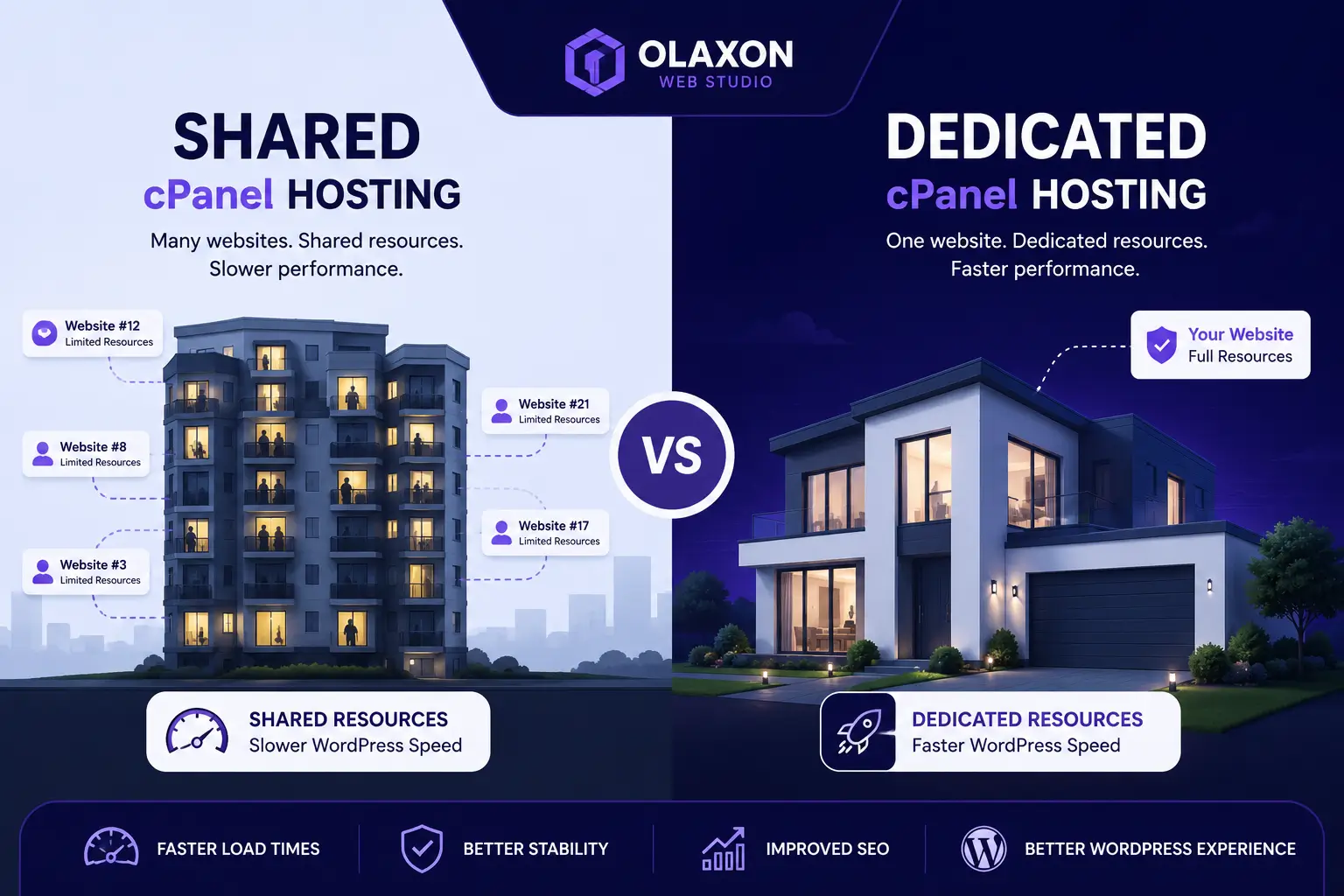
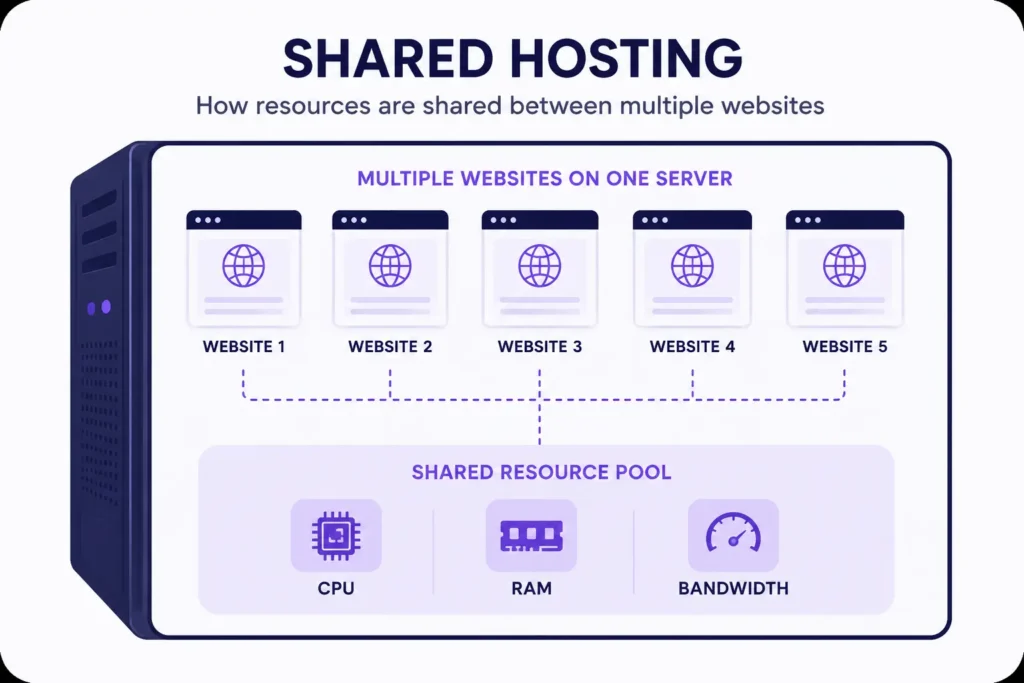
Shared hosting means your website lives on a server alongside potentially hundreds of other websites, all sharing the same CPU, RAM, and bandwidth pool.
Think of it like an apartment block. You’ve got your own unit (your website files), but the plumbing, electricity, and elevator are shared with everyone else in the building.
The Good Bit
- Cheap. Genuinely cheap this is why most South African freelancers and small businesses start here.
- Managed for you. cPanel, backups, security patches the host handles the boring stuff.
- Fine for low to medium traffic sites, especially brochure sites, small business pages, and blogs just starting out.
The Catch
Here’s the part nobody explains properly: your site’s performance is only as good as your noisiest neighbour. If another site on that server gets a traffic spike or runs a badly coded plugin that hammers the CPU, your site feels it too even though you did nothing wrong.
Quick Takeaway: Shared hosting isn’t “bad.” It’s just hosting with limited, pooled resources. Most speed complaints on shared hosting come from what’s happening on the site, not the hosting tier itself.
What Dedicated Hosting Actually Is
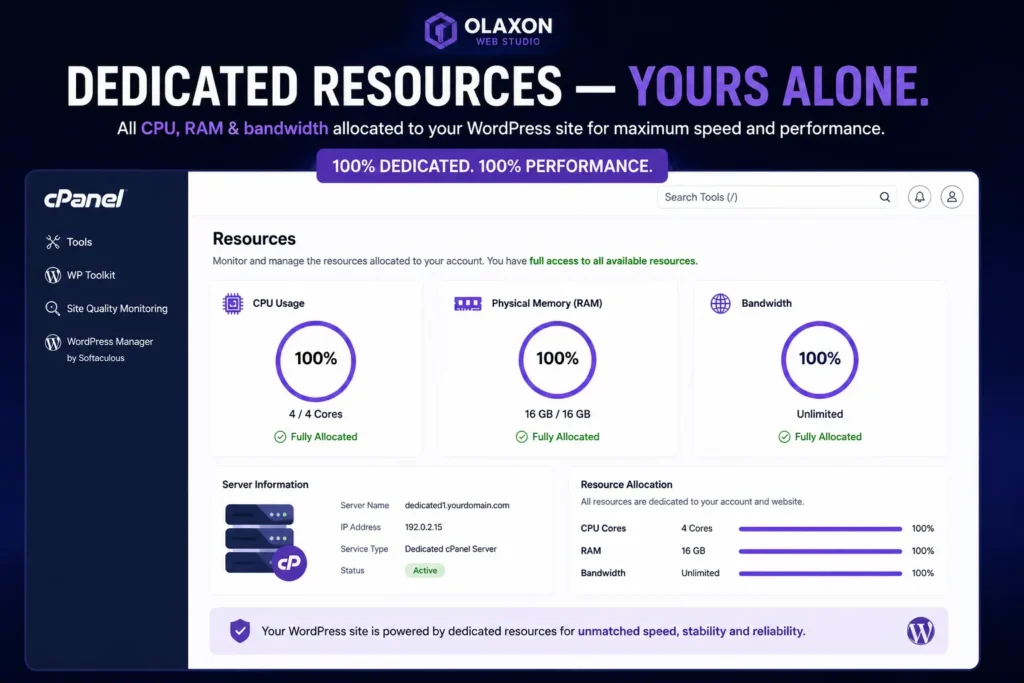
Dedicated hosting gives you an entire server, exclusively, just for your site (or sites, if you’re managing multiple).
Back to the apartment analogy this is your own house. Your own plumbing, your own electricity, nobody else’s business randomly affecting yours.
Why People Assume It’s Automatically Faster
Because on paper, more dedicated resources should mean better performance. And technically that’s true if your site actually needs those resources.
Where It Actually Matters
Dedicated hosting earns its cost when you’re dealing with:
- High, consistent traffic (think tens of thousands of monthly visitors, not a few hundred)
- E-commerce stores running WooCommerce with real transaction volume
- Custom server configurations specific PHP versions, caching layers, or security setups a shared environment won’t allow
- Compliance or data isolation requirements
If none of that applies to you yet, dedicated hosting is often an expensive way to solve a problem you don’t have.
So What Actually Determines WordPress Speed?
This is the bit that saves people money. Hosting tier is one factor among several and often not the biggest one.
1. Your Theme and Page Builder Setup
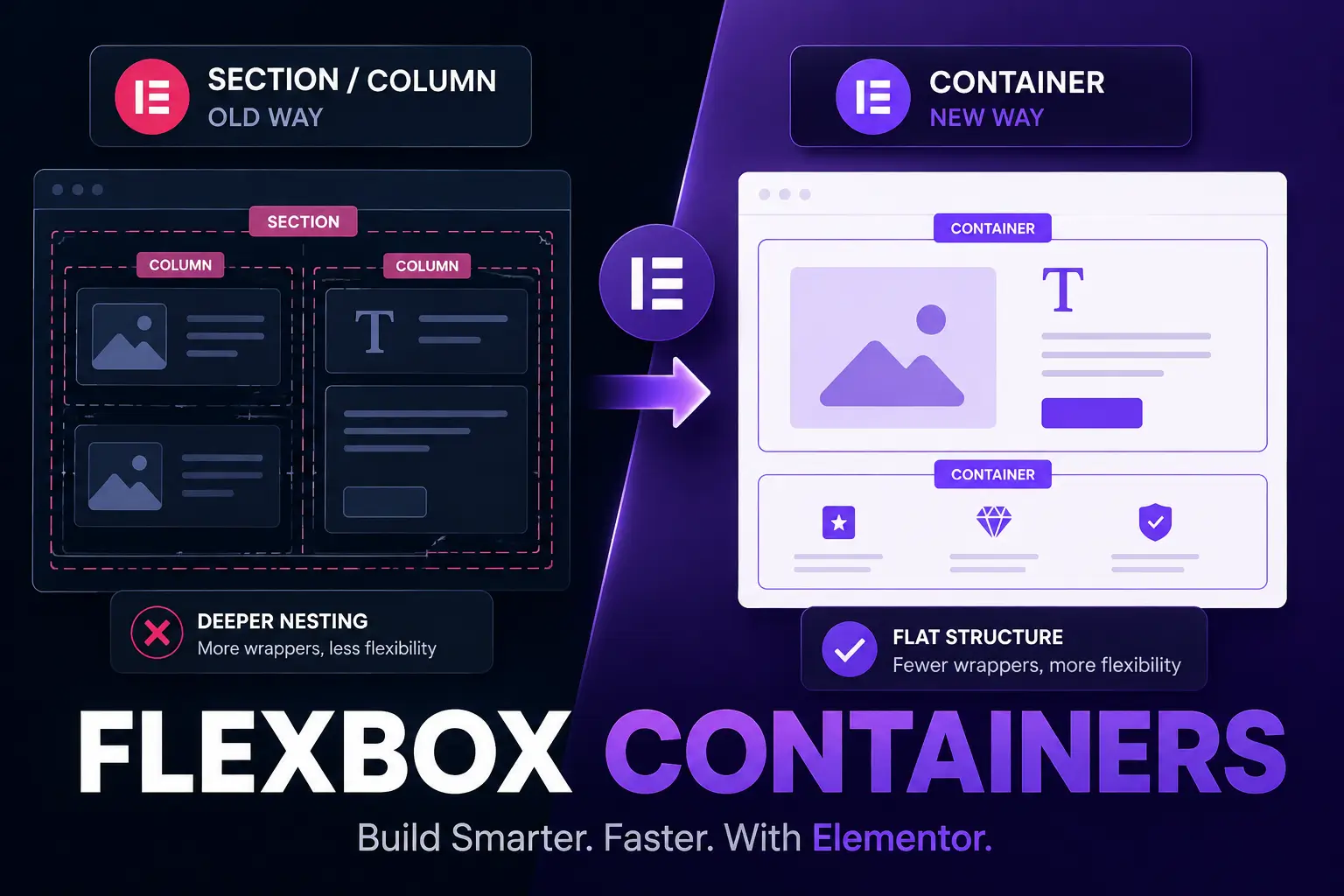
A heavy, bloated theme with unused CSS and JS will choke a dedicated server just as easily as a shared one. I build almost everything in Elementor Pro using Flexbox Containers instead of the old section/column system it renders lighter, cleaner code, and it shows in load times.
2. Plugin Count and Quality
Every plugin adds database queries, scripts, and stylesheets. Ten well coded plugins beat three badly coded ones, every time.
3. Image Optimization
Unoptimized images are still the single biggest speed killer I see on client sites full stop, regardless of hosting tier.
4. Caching
A proper caching setup (page caching, object caching, and a CDN) can make shared hosting outperform an unoptimized dedicated server. This is often the highest leverage fix available.
5. Database Bloat
Years of revisions, spam comments, and transients pile up in the database and slow every query down, no matter how much server power you’re paying for.
Quick Takeaway: Before you upgrade your hosting, audit your theme, plugins, images, caching, and database. Nine times out of ten, that’s where the real speed problem is hiding.
A Real Example From My Own Work
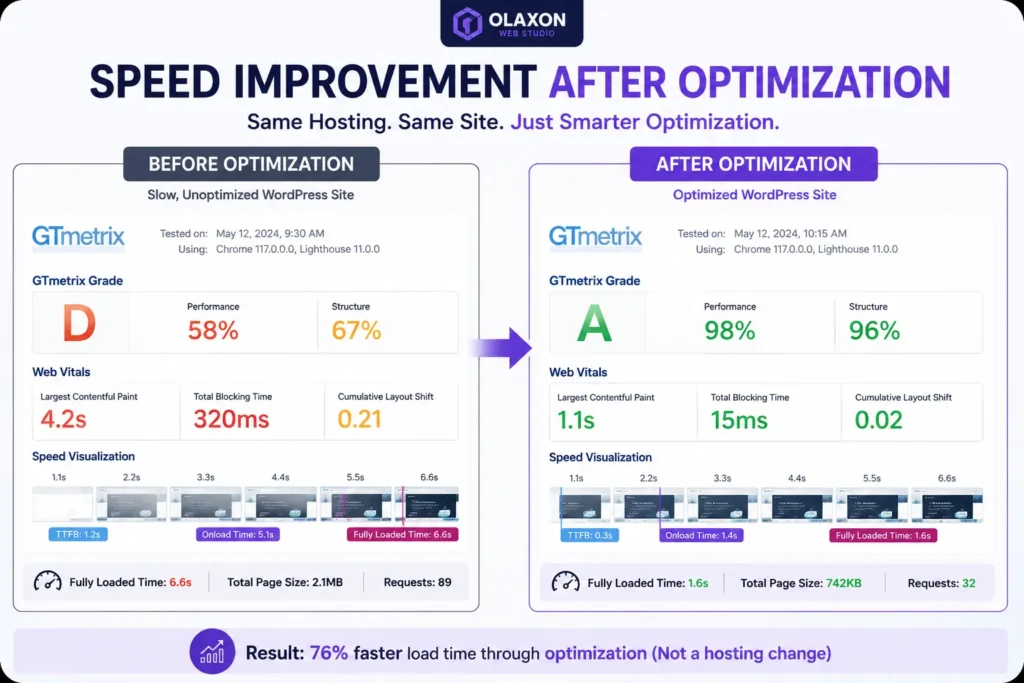
I had a client convinced they needed dedicated hosting because their WooCommerce store was “slow during peak hours.” Before quoting them for a server upgrade, I did a full site audit first cleaned up the plugin list, moved them to proper page and browser caching, and compressed a backlog of unoptimized product images.
Load times dropped by more than half. No hosting change needed.
That audit-first approach is exactly why I always recommend running full diagnostics before signing up for anything bigger than what you’ve got. Choosing the right hosting environment from the start one that matches your actual traffic and setup, not just what sounds impressive is what saves you from hours of unnecessary troubleshooting down the line. It’s one of the first things I check with any new Olaxon client, and it’s usually where the real wins are found.
Shared or Dedicated? A Quick Decision Guide
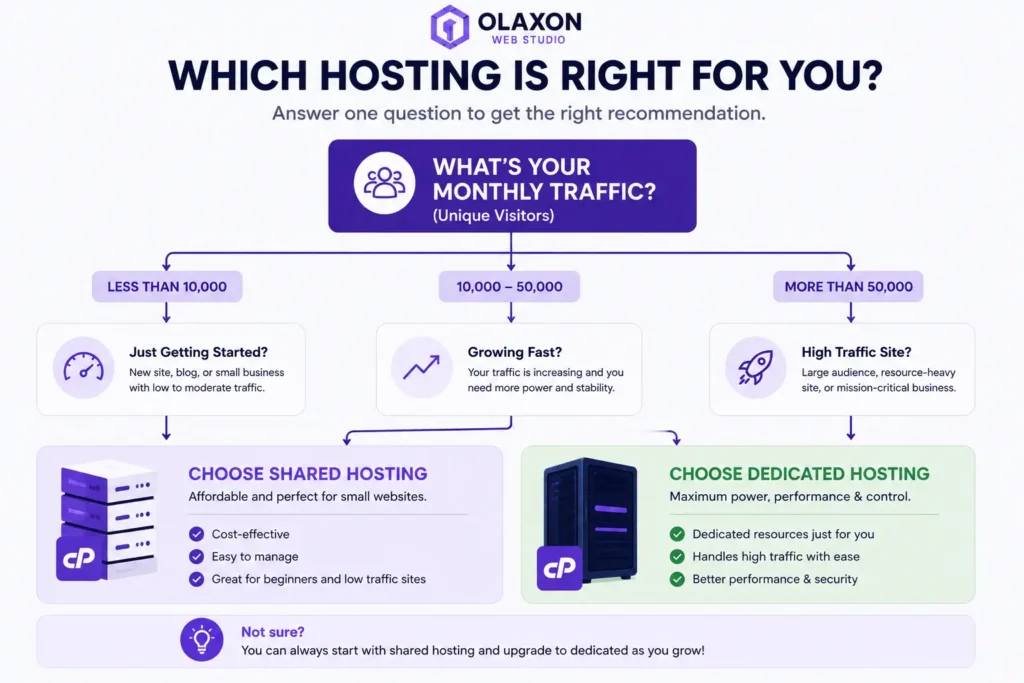
Stick with shared hosting if:
- You’re under roughly 10,000 – 20,000 monthly visitors
- Your site is a brochure site, portfolio, or blog
- Budget matters more than headroom right now
Consider dedicated (or at least VPS/cloud hosting) if:
- You’re running consistent high traffic or a busy WooCommerce store
- You need custom server-level configuration
- Downtime directly costs you money
Final Word
Hosting tier matters, but it’s not the silver bullet most people think it is. Get your WordPress house in order first lean theme, clean plugins, optimized images, solid caching and you’ll be shocked how far shared hosting can actually take you.
If you’re still not sure which setup fits your site, drop a comment below with your traffic numbers and current host. I read every one, and I’ll point you in the right direction.
And if this cleared things up for you, share it with the next person you hear saying “just get dedicated hosting, bru” they’ll thank you later.